Home
Home
 Apps
Apps
 Games
Games
 Disclaimer
 Cookies & Privacy Policy
 Terms of Service

Version: 7.19.0.2606030000
Developer: INTSIG PTE
 Trusted app
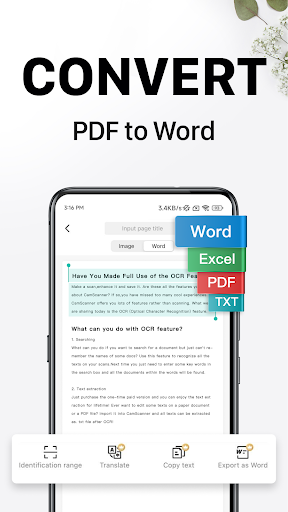
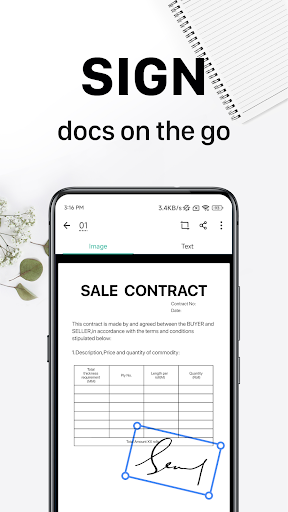
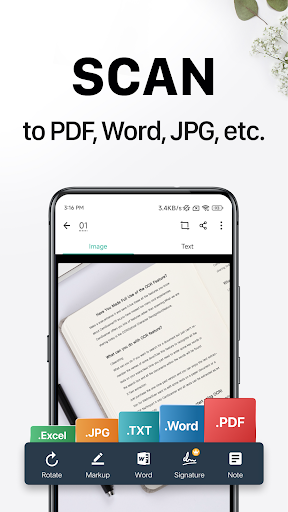
CamScanner - Scanner, PDF Maker is a reliable mobile app designed to help users easily scan documents, convert them into high-quality PDFs, and organize files efficiently. As a popular Android app in the productivity category, it offers an intuitive app experience that simplifies document management and enhances workflow for both personal and professional use.
This mobile app is ideal for students, professionals, and small business owners who need quick and reliable document scanning on their Android app. Its user-friendly design suits users of all ages seeking efficient productivity tools.
If you often handle contracts, receipts, or notes, this app-based solution helps streamline your workflow. It's perfect for those who want an efficient app experience that simplifies digitizing and managing important documents anytime, anywhere.
This Android app stands out with its advanced app features and easy-to-use interface. It offers a comprehensive app experience that addresses daily document management needs efficiently.
By combining reliable scanning tools with seamless cloud integration, this app-based solution helps users stay organized and productive, making it a better choice amid various similar apps in the productivity space.

 Excellent OCR accuracy
Intuitive user interface
Multiple export options
Automatic edge detection and perspective correction
Batch scanning feature
Excellent OCR accuracy
Intuitive user interface
Multiple export options
Automatic edge detection and perspective correction
Batch scanning feature

 Occasional app crashes during high-resolution scans
Limited free features
Watermark added in free version
Cloud storage integrations vary
Limited annotation tools
Occasional app crashes during high-resolution scans
Limited free features
Watermark added in free version
Cloud storage integrations vary
Limited annotation tools
Yes, CamScanner is a widely used mobile app that has been trusted by many users for document scanning and PDF creation. It follows standard security practices to ensure your data stays protected. However, it's always a good idea to keep the app updated and download it from official sources to maintain safety. Its app features include high-quality scanning, OCR, and cloud sharing, making it a reliable app-based solution for personal and professional use.
Installing CamScanner on your Android device is straightforward. You can find the app in the Google Play Store by searching for CamScanner- scanner, PDF maker. Once installed, you can set up your account easily and start exploring its app experience, which includes scanning documents, converting images to PDF, and organizing files within the app. Its user interface is designed to be intuitive, making it a friendly launcher app for all users.
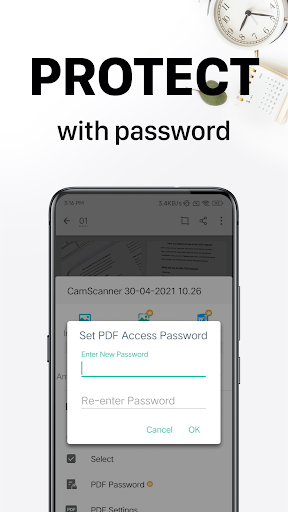
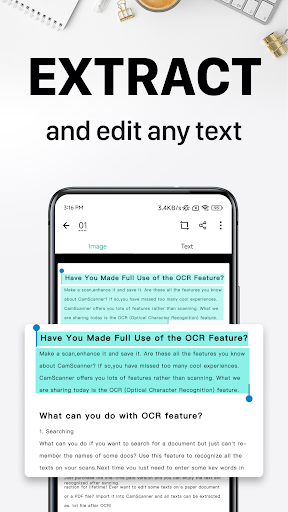
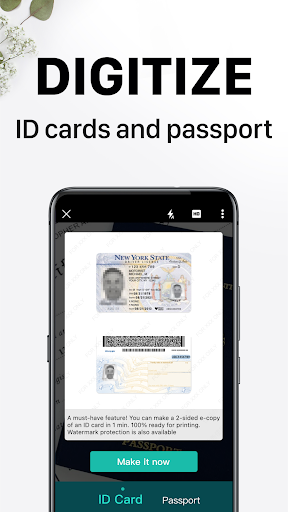
CamScanner offers a variety of app features that make document management simple and efficient. You can quickly scan documents using your phone camera, enhance the images, and convert them into high-quality PDFs. Additional features include OCR for extracting text, cloud sharing, document annotation, and password protection. This makes it a comprehensive app-based solution suitable for both casual users and professionals needing reliable scanning tools.
Absolutely. One of the advantages of this mobile app is that it allows you to scan documents offline. You can save scans locally and share them later when you're online. This offline app experience is especially helpful when you are on the move or in areas with limited internet access, ensuring you always have access to your important documents.
Yes, CamScanner supports exporting your scans as PDFs, JPEGs, and other formats, making it versatile for various needs. Sharing options include email, cloud storage services, and social media, all integrated within the app. This flexibility is part of what makes CamScanner a popular app-based solution for managing documents efficiently across different platforms and devices.
While CamScanner isn't a launcher app in the traditional sense, it functions as a central hub for document scanning and management. Its user interface helps you organize scanned files effortlessly, acting like a mini launcher for your digital documents. You can create folders, tag files, and search easily within the app, which enhances your overall app experience and keeps your important documents at your fingertips.
CamScanner is regularly updated to enhance its app features, security, and performance. These updates often include bug fixes, new tools, and security improvements to make sure your data remains safe. By staying current with updates, you can enjoy a reliable, trustworthy app-based solution that adapts to user needs and the latest technology standards.
As with any document management app, it's important to review the privacy settings and permissions. CamScanner collects some data to improve user experience, but reputable developers adhere to strict guidelines to protect your privacy. Always ensure you're using the latest version, and read the privacy policy to understand how your documents and data are handled, which aligns with the app's goal of being a trustworthy app for all users.
Microsoft OneDrive
Productivity
Google Assistant
Productivity
Google Calendar
Productivity
WPS Office-PDF, Word, Sheet
Productivity
CamScanner- scanner, PDF maker
Productivity
Adobe Acrobat Reader: Edit PDF
Productivity
Office App-Edit Word, PDF file
Productivity
AI Chat: Ask AI Chat Anything
Productivity
ACE Scanner - PDF Scanner App
Productivity
Docx Reader - Office Viewer
Productivity
DeepSeek - AI Assistant
Productivity
Flash Alert & Led Flashlight
Productivity











 Download From Google Play