

 Home
Home
 Apps
Apps
 Games
Games
 Disclaimer
 Cookies & Privacy Policy
 Terms of Service

Version: 2.3.2.1
Developer: InShot Inc.
 Trusted app
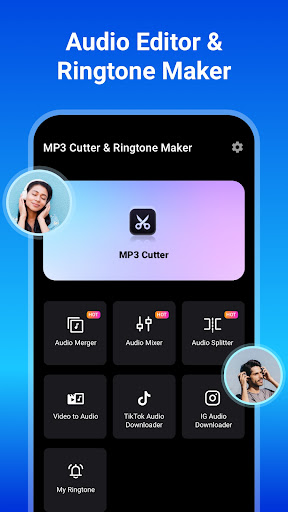
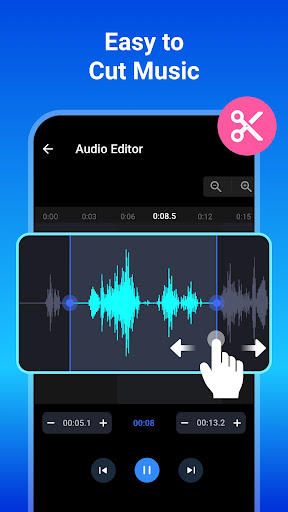
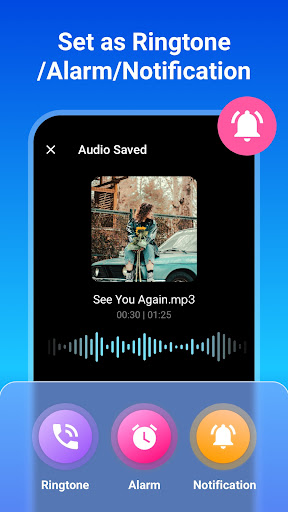
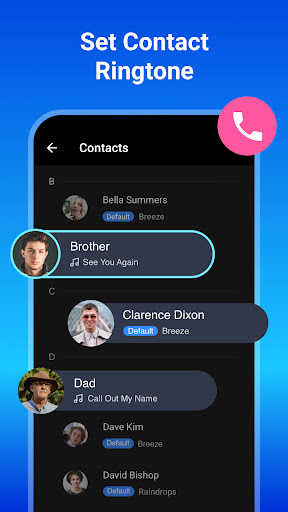
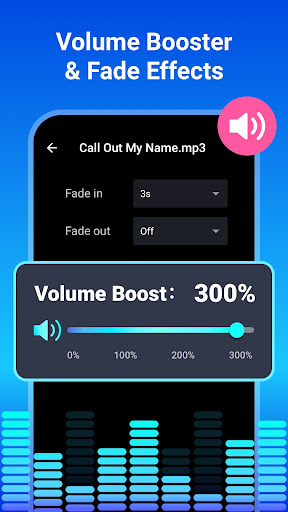
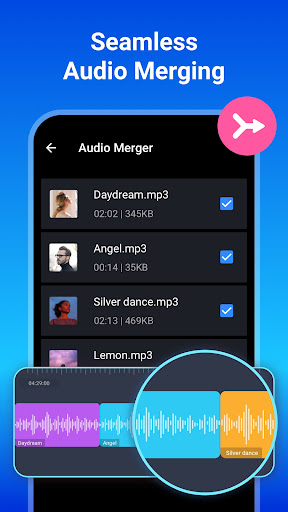
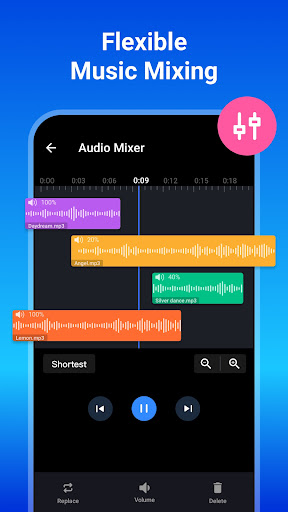
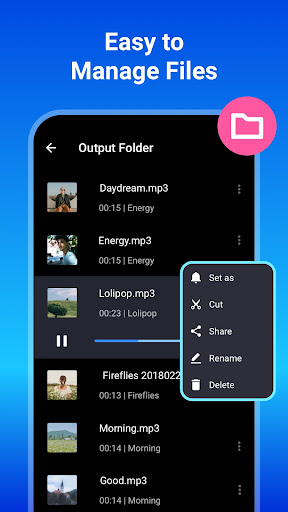
MP3 Cutter and Ringtone Maker is a user-friendly Android app designed to help users create custom ringtones, alarms, and notifications by easily trimming and editing MP3 files. This app offers a straightforward experience, making it simple for anyone to craft personalized audio clips on their mobile device, enhancing the overall app experience for music enthusiasts and casual users alike.
This mobile app is ideal for music lovers, content creators, and anyone interested in personalizing their device with custom ringtones. It caters to users of all ages who want an easy-to-use Android app for quick audio edits.
Whether you're preparing a special ringtone for a loved one or creating sound clips for videos, this app provides a straightforward app-based solution for seamless audio customization, making it perfect for everyday use.
This Android app stands out with its user-friendly interface combined with robust app features that meet the needs of both casual and advanced users. It offers a dependable app experience with practical tools for precise audio editing.
Unlike other similar apps, it prioritizes simplicity and reliability, delivering an app-based solution that fully supports your creative and functional goals while ensuring trustworthiness and consistent performance.

 Intuitive User Interface
Precise Cutting Tools
Multiple Format Support
Fast Processing Speed
Built-in Ringtone Preview
Intuitive User Interface
Precise Cutting Tools
Multiple Format Support
Fast Processing Speed
Built-in Ringtone Preview

 Limited Editing Features
Occasional App Crashes
Limited Free Usage Features
No Batch Processing
Interface Could Be More Customizable
Limited Editing Features
Occasional App Crashes
Limited Free Usage Features
No Batch Processing
Interface Could Be More Customizable
Yes, MP3 Cutter and Ringtone Maker is a trusted mobile app available on the Google Play Store. It has been designed with user safety and data privacy in mind, ensuring a secure app experience.
Always download apps from official sources like the Google Play Store to avoid security risks. The app regularly updates to fix vulnerabilities and improve security features, making it a safe choice for creating custom ringtones on your Android device.
This Android app offers a variety of features for editing and creating ringtones, alarms, and notification tones. Its intuitive interface makes it easy for users to trim audio files, merge clips, and set custom sounds quickly.
The app also supports multiple audio formats and provides options for previewing edits before saving. Its straightforward app features make it a popular choice for those looking to personalize their mobile experience with custom sounds.
While MP3 Cutter and Ringtone Maker primarily functions as an audio editing tool, it does not serve as a launcher app. Instead, it focuses on providing an app-based solution for customizing ringtones and audio files.
If you're interested in personalization options within your mobile device, this app works well alongside your launcher app to enhance your overall app experience, especially when setting custom sounds for your Android device.
The safest way to install this mobile app is through the Google Play Store. It offers a straightforward installation process and ensures you receive the latest app features and security updates.
Once installed, keep the app updated regularly through the app store to maintain a smooth app experience and access new features that improve functionality and overall app quality.
Currently, MP3 Cutter and Ringtone Maker is available only for Android devices. There is no official version for iOS tablets or iPhones, so users with iOS devices will need to look for alternative apps for similar functions.
This Android app provides a seamless app experience for Android users, especially those looking for an app-based solution to create personalized sounds easily.
Like many mobile apps, MP3 Cutter and Ringtone Maker may encounter occasional bugs or compatibility issues on certain device models. However, it generally performs reliably on most Android devices with up-to-date operating systems.
Regular updates from the developers aim to address these issues, ensuring a consistent app experience. Always ensure your device's software is current to maximize compatibility and performance.
Absolutely! MP3 Cutter and Ringtone Maker offers a variety of app features that allow you to easily create and customize ringtones, alarms, and notification sounds. This helps to personalize your device so it truly reflects your style.
Its straightforward app-based solution makes it accessible for everyone, whether you're a beginner or an experienced user. Customizing your sounds enhances your overall app experience, making your device more uniquely yours.
Yes, the app's precise editing tools and reliable app features make it suitable for professional use or frequent editing tasks. Whether you're a sound designer, musician, or simply love to customize your phone frequently, this Android app provides the tools you need.
Its app experience is optimized for efficiency and accuracy, making it a trustworthy app-based solution for creating high-quality audio clips quickly and easily.
YouTube Music
Music & Audio
Shazam: Find Music & Concerts
Music & Audio
Lark Player:Music Player & MP3
Music & Audio
StarMaker: Sing Karaoke Songs
Music & Audio
Poweramp Music Player
Music & Audio
Beat Maker Pro - DJ Drum Pad
Music & Audio
Voice Recorder
Music & Audio
DJ Music mixer - DJ Mix Studio
Music & Audio
Phone Ringtones
Music & Audio
Music Player for Android
Music & Audio
iHeart: Music, Radio, Podcasts
Music & Audio
Offline Music Player: Play MP3
Music & Audio











 Download From Google Play











