

 Home
Home
 Apps
Apps
 Games
Games
 Disclaimer
 Cookies & Privacy Policy
 Terms of Service

Version: 1.7.5.2144
Developer: Great Talent Video Inc. Video Editor App
 Trusted app

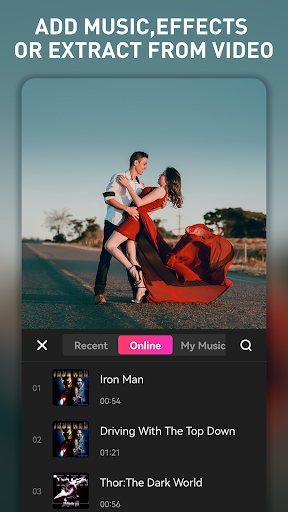
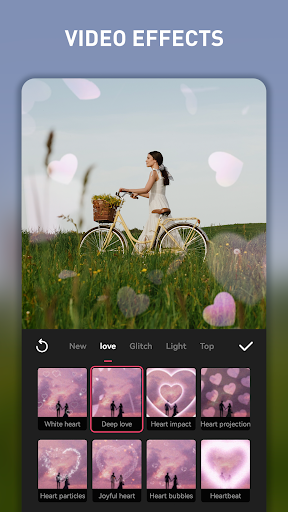
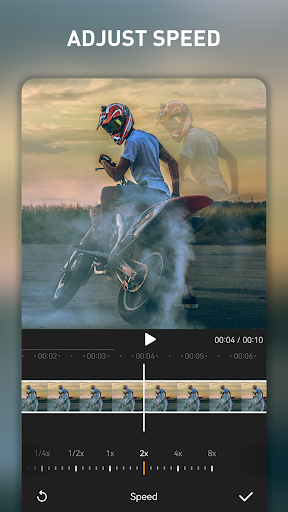
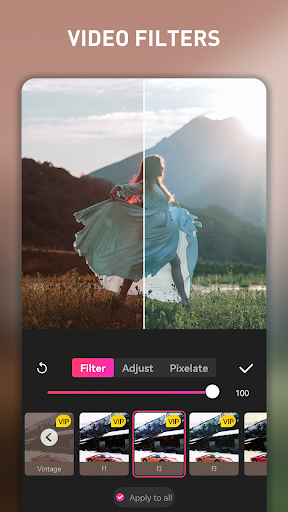
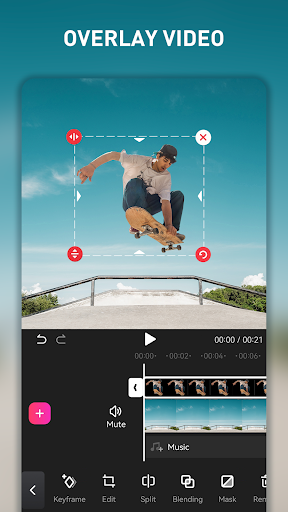

EasyCut - Video Editor & Maker is a user-friendly mobile app designed for quick and creative video editing on your Android device. It offers a range of features that make editing simple and enjoyable, whether you're trimming clips, adding music, or applying special effects. As an intuitive app based solution, it provides an engaging app experience for users seeking to create professional-looking videos with ease.
This mobile app is ideal for social media enthusiasts, content creators, or anyone who loves making videos on their Android device. It's perfect for users aged 15 and above who want an easy yet powerful app experience.
Whether you're creating fun clips for friends or professional-looking videos for a project, this app offers practical app features for various scenarios. From quick edits to detailed productions, it serves as a reliable app-based solution for mobile video editing needs.
This Android app stands out by combining ease of use with powerful app features, making editing accessible for all skill levels. Its smooth app experience ensures users can produce high-quality videos without hassle.
By focusing on reliability, a comprehensive set of tools, and offline capabilities, this app offers a trusted app solution that helps users bring their creative ideas to life efficiently and confidently.

 Intuitive User Interface
Wide Range of Editing Features
Fast Rendering Speed
Frequent Updates and Improvements
Affordable Pricing Plans
Intuitive User Interface
Wide Range of Editing Features
Fast Rendering Speed
Frequent Updates and Improvements
Affordable Pricing Plans

 Limited Export Formats
Occasional App Crashes
Watermark on Free Version
Basic Audio Editing Capabilities
Learning Curve for Advanced Features
Limited Export Formats
Occasional App Crashes
Watermark on Free Version
Basic Audio Editing Capabilities
Learning Curve for Advanced Features
Yes, EasyCut is a trusted mobile app available on the Google Play Store, designed with user safety in mind. It undergoes regular security updates to protect your data and ensure your privacy while editing videos.
As an established Android app, EasyCut has a transparent development process and positive user reviews. Always ensure you download apps from official sources to maintain safety and trustworthiness in your app experience.
Getting started with this mobile app is straightforward. Once installed from the Google Play Store, you can open EasyCut and explore its app features, such as trimming videos, adding music, and applying filters, all designed to enhance your video editing experience.
The app offers an intuitive interface, making it easy for both beginners and experienced users to create and customize videos efficiently. It's a great app based solution for quickly turning your ideas into professional-looking content.
Yes, EasyCut provides a variety of app features that cater to both casual and semi-professional video editing needs. It includes tools like multi-layer editing, transition effects, and voice-over capabilities, delivering a comprehensive app experience for content creators.
While it may not replace high-end desktop software, this Android app is a powerful choice for creating quality videos directly on your mobile device, making it a reliable app based solution for everyday editing tasks.
Currently, EasyCut is available as an Android app on the Google Play Store. If you're using an iPhone or iPad, it's best to check the App Store for similar or compatible apps, as this specific app is designed for Android devices.
For the best app experience, using a dedicated Android launcher app or video editor on your Android device will ensure access to all features and seamless performance.
If you encounter issues with this mobile app, first check for updates in the Google Play Store, as developers frequently release patches. Clear app cache or reinstall the app if needed to resolve common problems.
For persistent issues, reaching out to the developer's support team or visiting their official website can provide further assistance. Trustworthy app developers are committed to fixing bugs and ensuring a smooth app experience for users.
Kwai - Cool Video & Social Fun
Video Players & Editors
PLAYit-All in One Video Player
Video Players & Editors
KineMaster - Video Editor
Video Players & Editors
VivaVideo - Video Cut & Editor
Video Players & Editors
Video to MP3 - Video to Audio
Video Players & Editors
GIPHY: GIFs, Stickers & Clips
Video Players & Editors
Video Downloader - Story Saver
Video Players & Editors
Video Player All Format HD
Video Players & Editors
GIF Keyboard by Tenor
Video Players & Editors
Kodi
Video Players & Editors
X Sexy Video Downloader
Video Players & Editors
EasyCut - Video Editor & Maker
Video Players & Editors











 Download From Google Play










