

 Home
Home
 Apps
Apps
 Games
Games
 Disclaimer
 Cookies & Privacy Policy
 Terms of Service

Version: 3.24.0
Developer: Cleo AI
 Trusted app

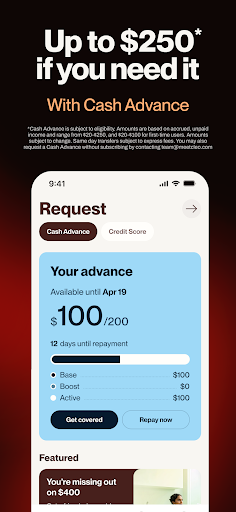
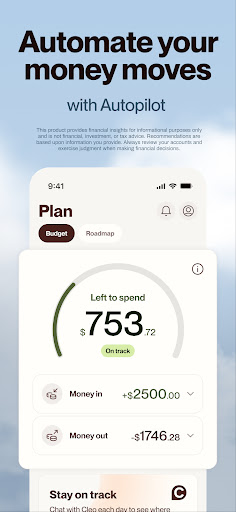
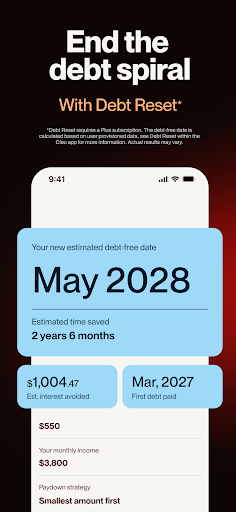


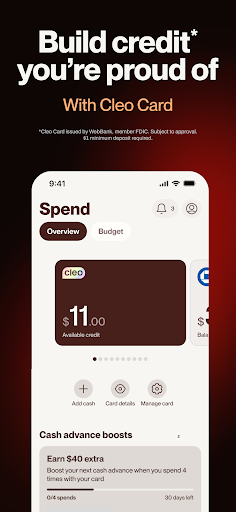
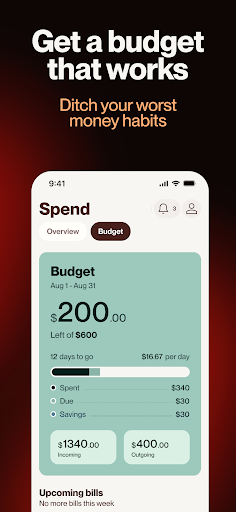
Cleo AI: Cash Advance & Money is a user-friendly mobile app designed to help users manage their finances more effectively. Available as an Android app, it offers convenient features like budgeting tools, cash advances, and financial insights. The app provides a straightforward app experience, making it easier to stay on top of your money and plan for the future.
This mobile app is designed for individuals aged 18 and above who want to manage their finances conveniently on their Android app or iOS device. It's ideal for those seeking quick financial solutions and better money management tools.
Whether you're juggling multiple expenses or planning your savings, this app-based solution is perfect for users looking for a dependable launcher app that enhances their financial app experience with simple, accessible features.
This app offers a reliable and user-friendly experience, making it a standout among other financial apps. Its comprehensive app features and secure platform allow users to handle their money with confidence.
By focusing on real user needs and providing seamless functionality, this Android app differentiates itself as an efficient app-based solution for personal finance management, giving users better control and peace of mind.

 User-Friendly Interface
Instant Cash Advances
Budgeting Assistance
Automated Spending Notifications
Good Customer Support
User-Friendly Interface
Instant Cash Advances
Budgeting Assistance
Automated Spending Notifications
Good Customer Support

 Limited Credit Building Features
Fee Structure Transparency
Eligibility Restrictions
Dependence on Internet Connection
Limited Investment Options
Limited Credit Building Features
Fee Structure Transparency
Eligibility Restrictions
Dependence on Internet Connection
Limited Investment Options
To log into the Cleo AI mobile app, you simply need to use your registered email or connect through your existing social media accounts. The app offers a straightforward login process, making access quick and easy.
If you're new to the app, you'll be prompted to create a password or verify your identity. This ensures your financial data stays secure while providing a seamless app experience designed for user convenience.
Yes, Cleo AI is a secure and trusted finance app available on Android, designed with safety in mind. The app uses encryption and other security measures to protect your personal and financial information.
Rest assured, the app experiences are built to prioritize user privacy, making it a reliable app-based solution for managing your money safely on your mobile device.
The Cleo AI app features include budget tracking, cash advance options, and personalized financial advice. Its intuitive interface makes it easy for users to stay on top of their spending and savings goals.
Additional app features like real-time transaction updates and automated insights help create a smoother app experience for those seeking an effective finance management tool on their Android device or iPhone.
While Cleo AI functions primarily as a finance app, it can often be added to your device's launcher for quick access. This helps streamline your app experience, making financial management more accessible whenever you need it.
However, it does not serve as a launcher app itself. Its main focus remains providing a comprehensive app-based solution for financial tracking and cash advances on your mobile device.
If you have trouble accessing Cleo AI, simply use the 'Forgot Password' feature available on the login page. Follow the easy prompts to reset your password securely.
This process ensures your app experience remains smooth and your financial data stays protected, reinforcing trust as a reliable app for managing your finances on your mobile device.
Trust: Crypto & Bitcoin Wallet
Finance
Coinbase: Buy Crypto & Stocks
Finance
Venmo
Finance
Revolut: Spend, Save, Trade
Finance
TrueMoney - Pay & Earn Coins
Finance
Investing.com: Stock Market
Finance
Capital One Mobile
Finance
Walmart MoneyCard
Finance
Albert: Budgeting and Banking
Finance
Varo Bank: Online Banking
Finance
OnePay – Mobile Banking
Finance
Cleo AI: Cash Advance & Money
Finance











 Download From Google Play
 Download From App Store










